

Delivery Time Line Automatic
Page: Product Pages (Optimized for Conversions)
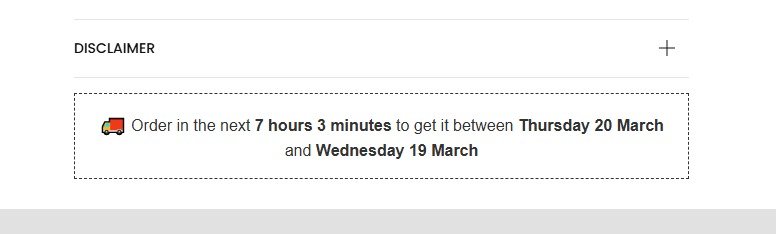
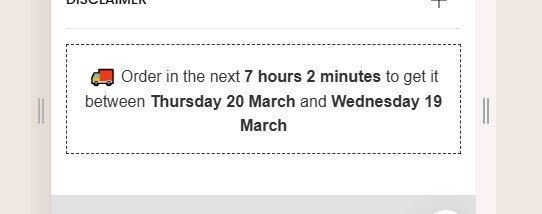
Snippet Code
<div style="border: 1px dashed #333; padding: 15px; text-align: center; font-family: Arial, sans-serif;">
  <p style="margin: 0; font-size: 16px; color: #333;">
    <span style="font-size: 20px; font-weight: bold;">🚚</span>
    Order in the next <span id="time-left" style="font-weight: bold;"></span> to get it between
    <span id="delivery-start" style="font-weight: bold;"></span> and
    <span id="delivery-end" style="font-weight: bold;"></span>
  </p>
</div>

<script>
  function updateOrderDetails() {
    const now = new Date();

    // Cutoff time is set to 11:59 PM today
    const cutoffTime = new Date();
    cutoffTime.setHours(23, 59, 59, 999); // Set to 11:59 PM of the current day

    // Calculate time remaining until the cutoff
    const timeRemaining = cutoffTime - now;

    // If the cutoff has passed, adjust the delivery dates to start from the next day
    const deliveryStart = new Date();
    const deliveryEnd = new Date();
    if (timeRemaining <= 0) {
      deliveryStart.setDate(deliveryStart.getDate() + 4); // 3 days later
      deliveryEnd.setDate(deliveryEnd.getDate() + 5); // 4 days later
    } else {
      deliveryStart.setDate(deliveryStart.getDate() + 3); // 2 days later
      deliveryEnd.setDate(deliveryEnd.getDate() + 2); // 3 days later
    }

    // Convert time remaining to hours and minutes
    const hours = Math.floor(timeRemaining / (1000 * 60 * 60));
    const minutes = Math.floor((timeRemaining % (1000 * 60 * 60)) / (1000 * 60));

    // Format the date for delivery start and end
    const options = { weekday: 'long', day: 'numeric', month: 'long' };
    const deliveryStartFormatted = deliveryStart.toLocaleDateString('en-GB', options);
    const deliveryEndFormatted = deliveryEnd.toLocaleDateString('en-GB', options);

    // Update the DOM with time remaining and delivery dates
    document.getElementById('time-left').textContent =
      timeRemaining > 0
        ? `${hours} hours ${minutes} minutes`
        : 'Cutoff time has passed. Order now for next delivery window!';
    document.getElementById('delivery-start').textContent = deliveryStartFormatted;
    document.getElementById('delivery-end').textContent = deliveryEndFormatted;
  }

  // Call the update function every 60 seconds (60000 milliseconds)
  setInterval(updateOrderDetails, 60000);

  // Initial update on page load
  updateOrderDetails();
</script>Instructions
Heyy Guys 
Watch the video below to learn how to Import these Codes into your Shopify Ecommerce Store!